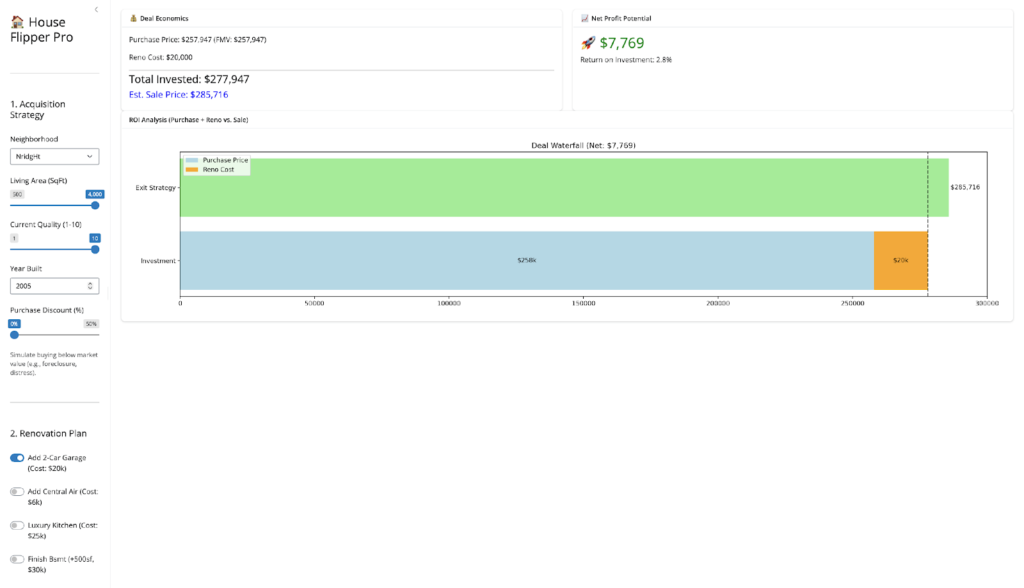
My original Python Shiny finance app worked well locally. But as soon as I tried to deploy it with a larger, more realistic dataset, it broke. The reason was simple: the app assumed the full dataset should live in memory. That assumption became the bottleneck for everything, from multi-year backtests to event studies.
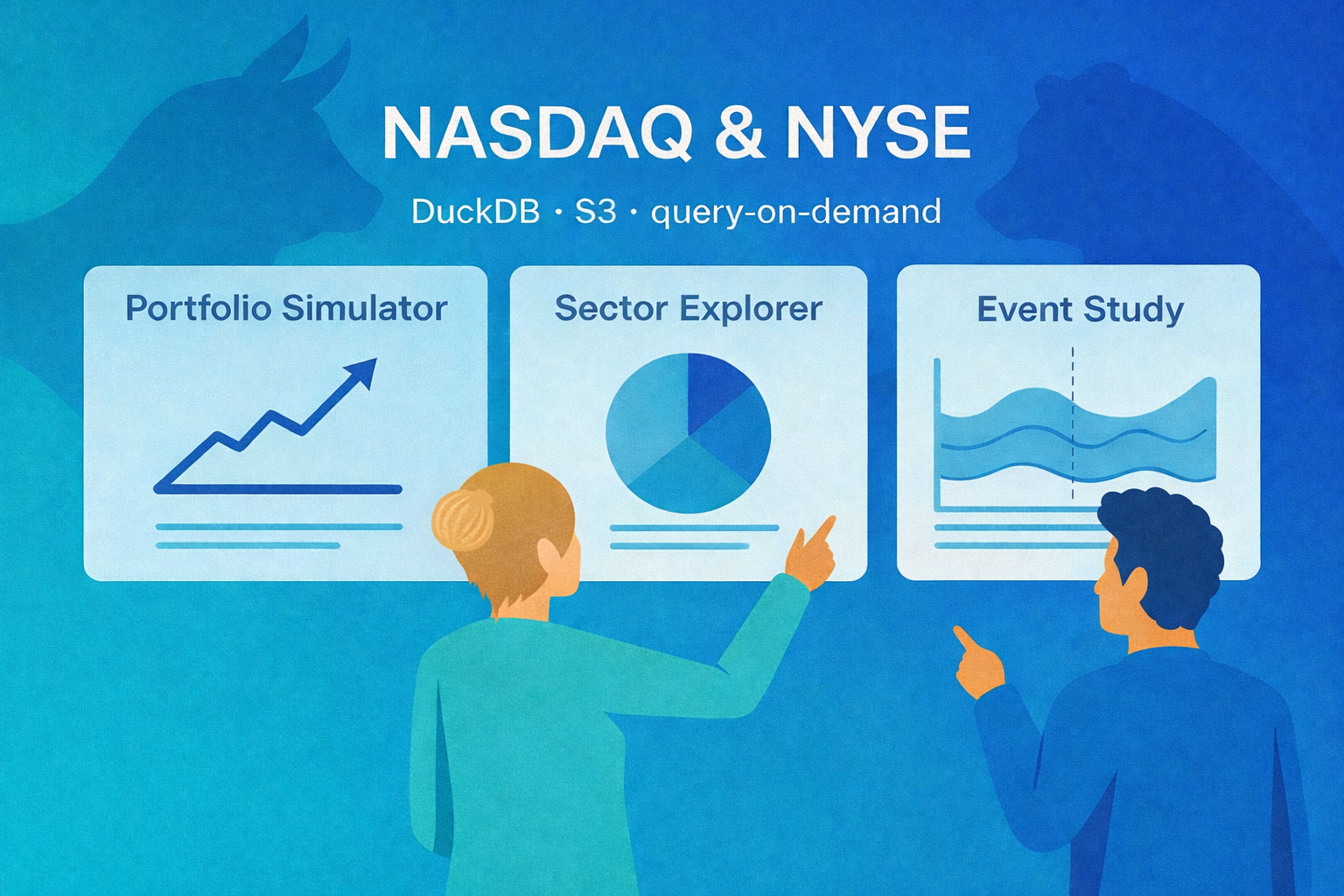
The first version was a classic working prototype. It loaded a Parquet dataset into pandas, did the heavy lifting in memory, and powered the UI from one large DataFrame across three workflows:
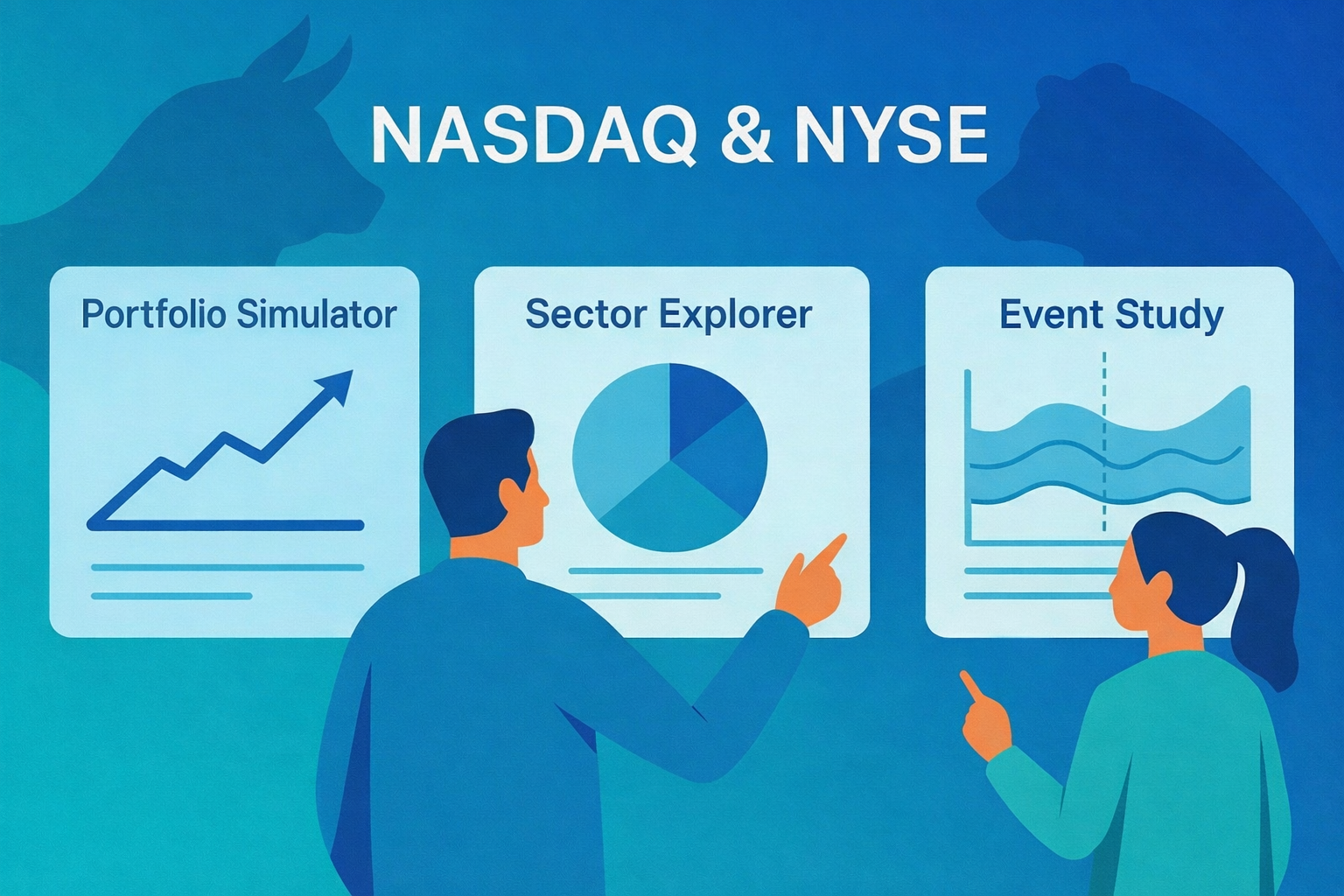
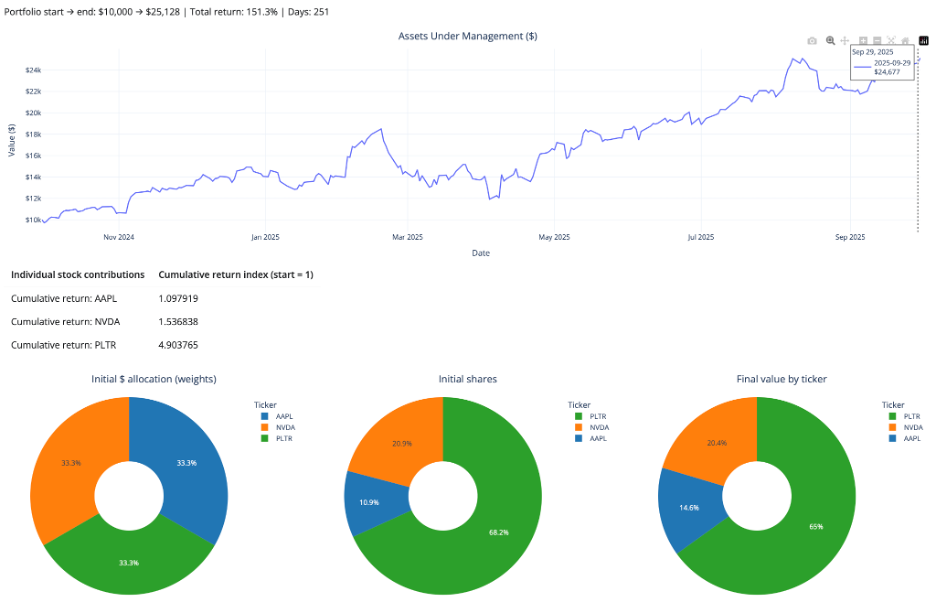
- Portfolio Simulator for buy-and-hold backtests
- Sector Explorer for equal-weight sector indices
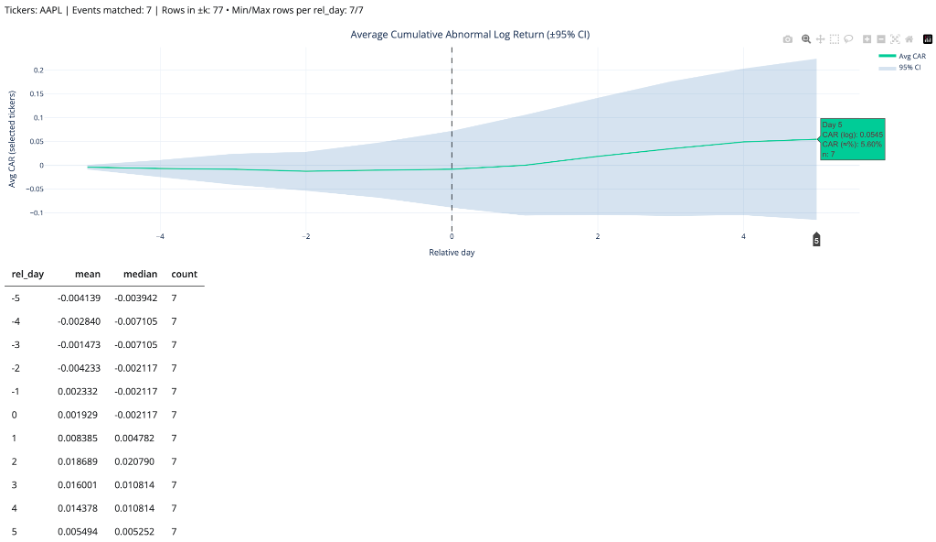
- Event Study Studio for market reaction around SEC filings and split events
This post is the story of how I turned that prototype into a “pro” app that can handle more years of data, answer richer user questions (like seasonality), and run an event study over a much larger set of events. The core driver behind everything: solving the dataset size problem by switching from pandas-first to DuckDB + S3 + query-on-demand.
🚀 Try the Portfolio, Sector & Event Lab Pro Now!
Legacy vs Pro at a glance
Legacy: pandas in memory → UI
Pro: UI → DuckDB → S3 Parquet
| Feature | Legacy App | Pro App |
| Backend | pandas | DuckDB |
| Main data access | Local / lighter runtime assumptions | S3-hosted Parquet |
| Dataset strategy | Smaller in-memory slice | Thin app-optimized dataset |
| History window | 1 year | 3 years |
| Event study robustness | Low | High |
| Scalability | Moderate | Strong |
| Deployment resilience | Fragile with larger data | Robust |
The legacy architecture (why it was great. And why it hit the wall)
The legacy version was simple by design:
- store a Parquet dataset locally in outputs/
- load it into pandas at startup
- compute helper columns and UI choices from the full DataFrame
- slice and pivot in pandas for the portfolio and sector workflows
- build event windows in Python for the event study
That design was great for prototyping. It was easy to reason about, easy to debug, and fast enough on a local machine. But it had a hard ceiling: memory.
Bigger data meant massive RAM usage, sluggish cold starts, and inevitable crashes. The practical outcome was painful: deploying with a realistic, multi-year dataset caused fatal memory bottlenecks, artificially limiting the scope of analysis I could offer users.
That last point became the real product problem.
The user question that made the limitation obvious
One of the clearest signals that a system needs to evolve is when a user asks a reasonable question that it cannot answer.
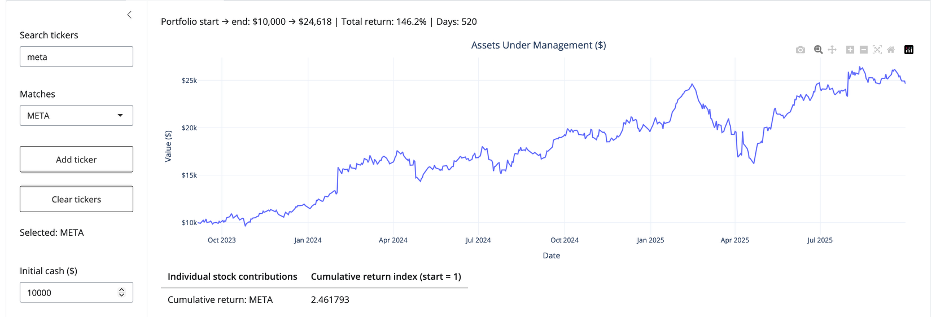
A user told me he had vested META shares and asked:
“Can you show more years of returns so I can see if there’s a pattern? I want to time my sale.”
That was really a seasonality question. He was not asking for a prediction model. He wanted a longer historical view so he could inspect whether certain periods tended to be stronger or weaker.
With the legacy app, I could not support that reliably. Expanding the dataset enough to answer the question made the deployed app unstable. That was the moment the dataset-size issue stopped being a technical annoyance and became the main reason to redesign the architecture.
What changed in the pro rebuild (the new principles)
I set a few goals that directly addressed the memory and scale bottleneck:
- stop loading the full dataset into pandas at startup
- host the dataset remotely so deployment is not tied to local files
- query only what the user asks for instead of “load everything”
- keep more years of data so users can explore seasonality and long-term patterns
- make the event study more statistically robust by pulling from more events over longer history
These goals pushed the pro version toward DuckDB + S3 and away from a load-everything design. That shift did more than improve performance. It expanded the range of questions the app could answer.
What the pro dataset includes
The pro dataset keeps only the fields the app actually needs: date, ticker, close, logret, sector, filing_form, is_split_day, is_reverse_split_day, market_cap, tidx (per-ticker trading-day index for ±k windows), year.
It is stored as Parquet in Amazon S3 and queried at runtime through DuckDB.
Why S3 matters (beyond deployment)
Hosting the dataset on S3 did more than “make deployment possible.”
It also made the app architecture clean:
- the app is UI + query logic
- the dataset is a durable remote artifact
- updating the dataset becomes a pipeline problem, not an app problem
It also made the app configurable via environment variables:
AE_S3_URIpoints to the S3 Parquet file- if not set, the app uses a safe default S3 URI
So local dev and deployment share the same code. Only configuration changes.
The core mechanism: query-on-demand with DuckDB
UI input → DuckDB query → S3 parquet → filtered result → Plotly chart
Once DuckDB is connected, the app creates a view:
CREATE OR REPLACE VIEW ae AS
SELECT * FROM read_parquet('s3://...');
From there, each workflow is powered by a small, targeted query:
- Portfolio Simulator: selected tickers + date range
- Sector Explorer: selected sectors + date range
- Event Study: selected event types + date range + window ±k
The pro pattern is simple:
- user selections become SQL filters
- DuckDB returns only the slice needed
- pandas handles light transformations
- Plotly renders the result
That is what eliminated the memory crashes. The app no longer has to load the full dataset before it can do anything useful. In other words, the app no longer starts by loading everything. It starts by asking, “What does the user need right now?”
Deploying the pro app
Moving to DuckDB + S3 solved the main memory bottleneck, but deployment still required some production-minded cleanup: excluding large local artifacts from the deployment bundle, keeping only required CSV and UI assets in the app directory, making the S3-hosted parquet readable at runtime, and deploying the pro version as a separate app instead of overwriting the legacy one.
The “more years” payoff: seasonality and long-horizon questions
Now the app can actually answer the META vesting question in a meaningful way.
With more years of data, users can explore:
- seasonality (does the stock tend to rally in certain months?)
- year-over-year behavior (does the stock exhibit recurring cycles?)
- drawdowns and recoveries across multiple regimes (bear, bull, rate hikes)
Even without adding a dedicated “seasonality panel,” simply allowing multi-year return series makes those patterns visible and testable (as shown below for META).
Event Study gets better when the dataset gets bigger
The event study studio benefits directly from longer history.
In an event study, sample size means events. With only one year of data, you get fewer filings, fewer split events, fewer observations per event type, and noisier averages.
With more years of data, the event study becomes more useful because it can:
- pull from a larger pool of events
- produce more stable averages
- narrow confidence intervals, all else equal
- make rarer event types more analyzable
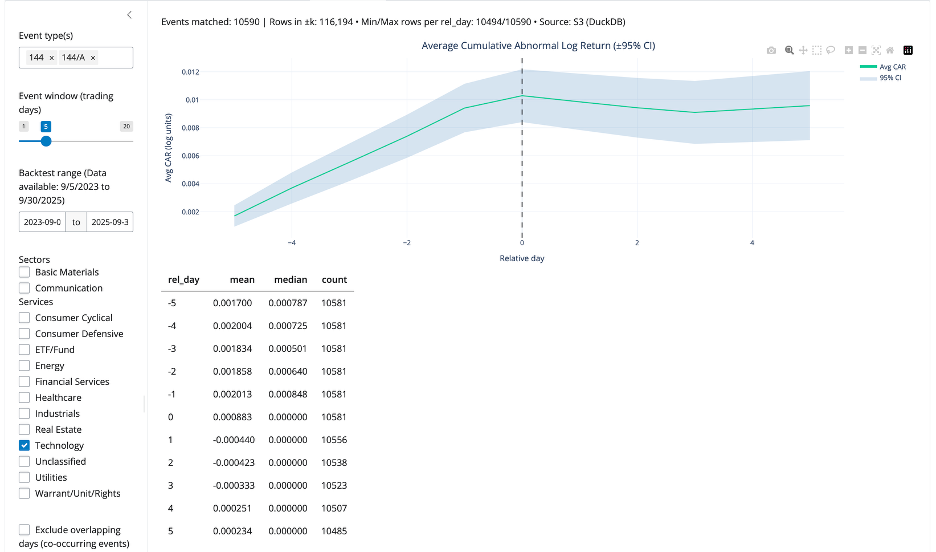
So, the same architecture change that solved memory also improved statistical quality. This improvement is not abstract. With the expanded dataset, the app captured 10,590 Form 144/A events, giving the Event Study workflow a much stronger empirical base for estimating cumulative return patterns in selected sector (see below).
The “pro” event-window technique that made it reliable
The pro event study uses tidx, a per-ticker trading-day index, that lets the app build ±k trading-day windows without worrying about weekends and market holidays.
In SQL, the method is:
- find each event date’s
tidx - generate offsets from -k to +k
- join back to the panel on (
ticker,tidx)
During debugging, I hit a DuckDB-specific column naming gotcha around range(). The fix that stabilized everything was:
offsets AS (
  SELECT * EXCLUDE (range), range AS rel_day
  FROM range(-{k}, {k} + 1)
)
That small change made the offsets table produce the exact column shape the rest of the query expected. After this, the event study workflow became stable.
What improved in the pro version (the outcomes)
After the rebuild, the app is fundamentally transformed. By decoupling the UI from the dataset, the app is faster, deployment is perfectly stable, and most importantly, the statistical power of the event studies and multi-year backtests is vastly improved.
Closing thought
Scaling from pandas to DuckDB and S3 wasn’t just an infrastructure upgrade—it was a product upgrade. Overcoming the memory bottleneck transformed ‘more data’ from a deployment risk into a core feature, ultimately scaling the complexity of the questions the app can answer.